Standing order
What is a standing order and what are its advantages?#
A standing order is a way to pay your membership contribution on time and automatically. It prevents your network access from being blocked due to a forgotten payment and also saves you from manually entering the IBAN and payment reference every month.
With a standing order, you authorize your bank to automatically transfer a specific amount to a specific account at regular intervals. Once you set up the standing order, you never have to worry about this transfer again (unless, of course, you move out and want to cancel it, which is easily done at any time since you retain full control).
Step-by-step guide (demonstrated using Ostsächsische Sparkasse Dresden)#
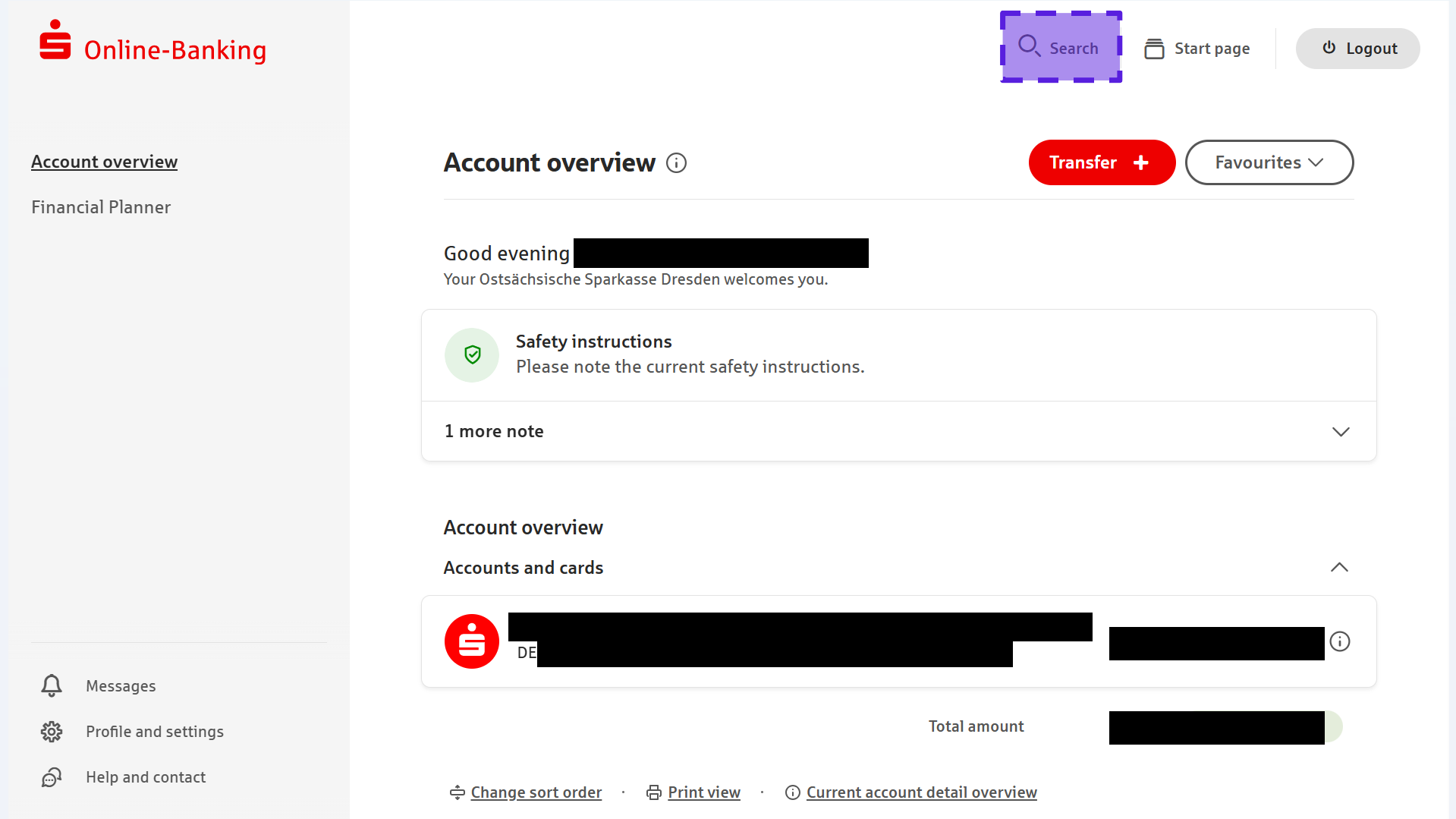
Step 1: After logging into your online banking, you will reach your bank's homepage. Click on the search field in the top bar of the website. Some banks might have a button directly on the homepage that allows you to set up a standing order right away.
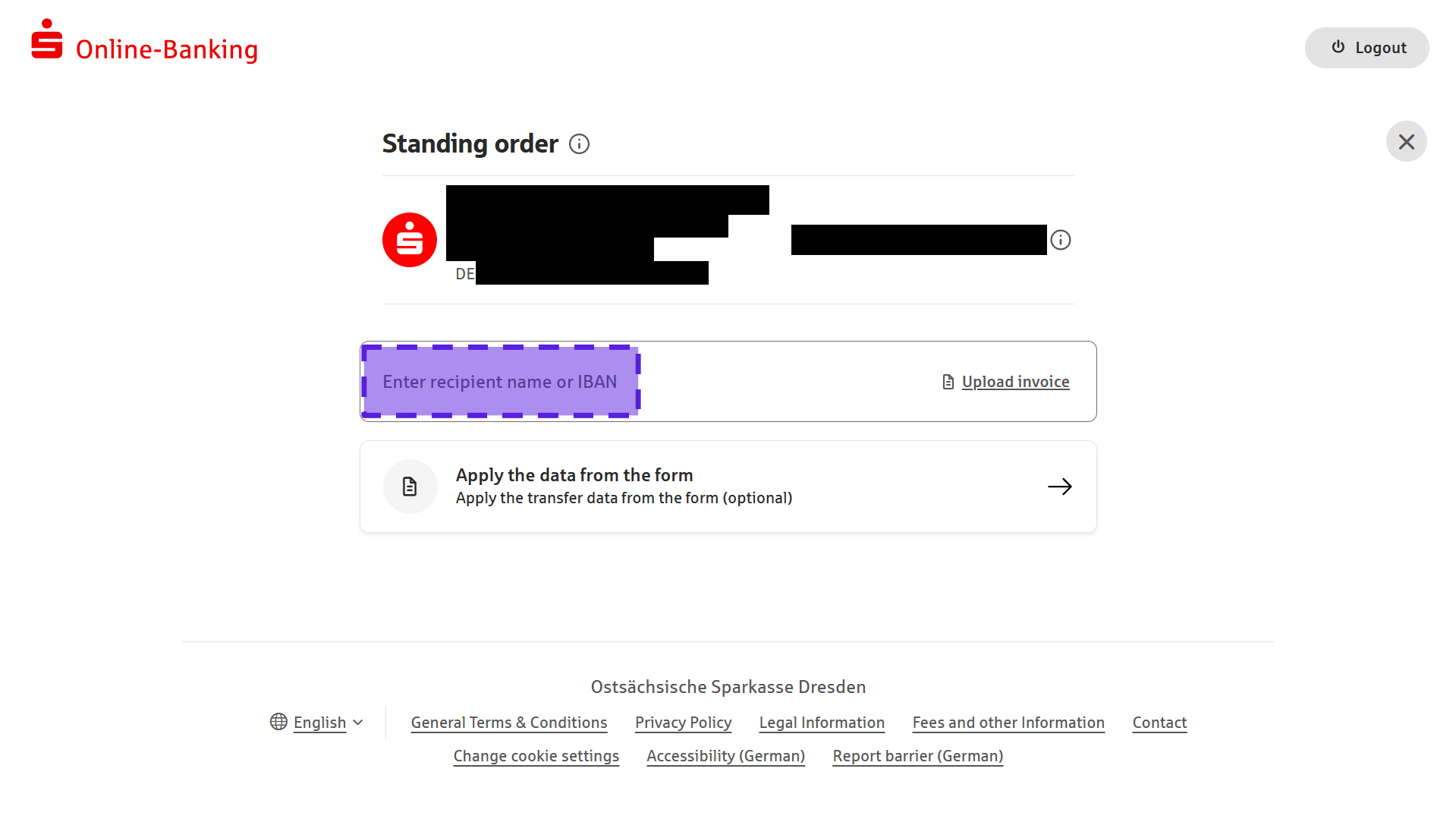
Step 2: Type "standing order" into the search field and select a suitable entry. Here, we have selected "Standing orders" from the list.

Step 3: Since we want to create a new standing order, we click on the red button "New standing order".

Step 4: Now, fill in the text fields of the standing order with the appropriate data. If you cannot see all text fields immediately, fill in the provided fields first. The remaining options will be displayed afterwards.
Here is an example of a correctly filled out standing order. We recommend choosing the 25th of the month as the "Date of payment" (first execution). This ensures that the money always arrives in our account on time, despite possible weekends and public holidays. Of course, you can already specify the date for the "Last payment" (last execution) during setup. However, you don't have to, as you can easily delete the standing order at any time later.
Step 5: By clicking on "Check standing order", the information will be checked for formal correctness.
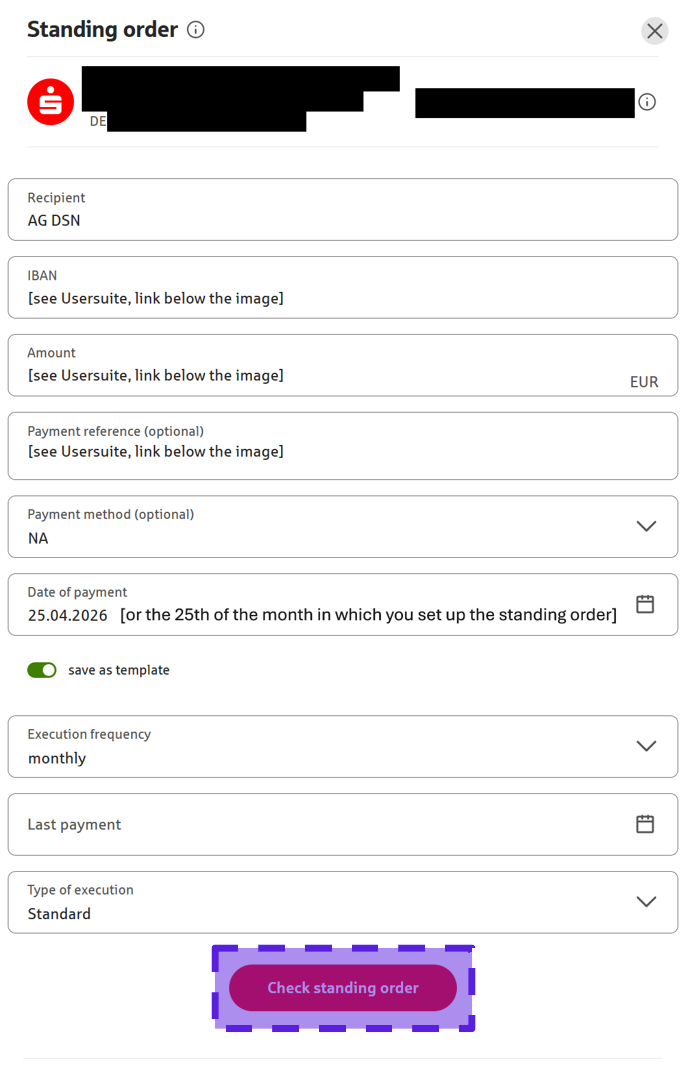
Information regarding the IBAN, Payment reference, and the exact Amount can be found in the Payment details section at the following link (you need to log in first): Usersuite
Step 6: If all details are correct, you will be taken to an overview page where you can see all the data of the standing order summarized once again. You can check the information here one last time before confirming the standing order by clicking on "Continue".
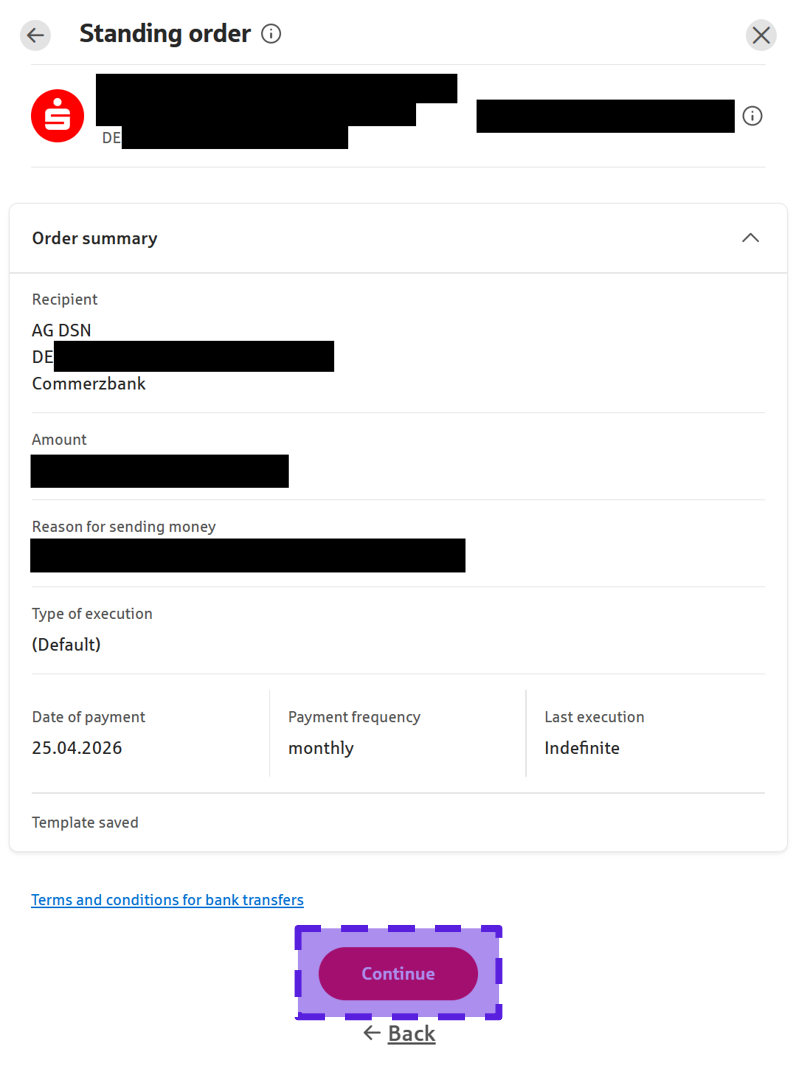
Step 7: You may still need to approve the order in your banking app (e.g., via pushTAN or chipTAN) before it is finally set up.
Links to guides for other banks#
This guide was specifically tailored to the Ostsächsische Sparkasse Dresden. If you use a different bank, simply click on the name of your bank to go to the corresponding official guide.
Please note: All linked guides are in German. However, you can easily translate them using your web browser's built-in translation tools (usually available by right-clicking anywhere on the webpage and selecting "Translate to English").